
We’ve all been there. Staring at that spinning wheel of death while an app takes its sweet time, especially on a deadline. It’s infuriating.
So, what’s the fix? I’m diving into PC speed optimization to cut through the nonsense. From software tweaks to hardware upgrades, I’ll show you how to really solve these issues.
You need to know what’s truly slowing things down (before throwing money at it). I’ve dug deep into tech trends, from AI demands to constant background processes. This isn’t just theory.
It’s practical help to boost your machine’s performance. Ready for a faster PC? Let’s get started.
Diagnose Before You Improve: Finding Your PC’s Real Bottleneck
Not all slowdowns are created equal. That’s the first thing you need to understand about PC speed optimization. So, what’s slowing you down?
CPU, RAM, or Storage? Each has its own story, and figuring out which one’s causing the trouble is key.
Grab your Task Manager (Ctrl+Shift+Esc). Think of it as the PC’s “dashboard.” Just like you’d check a car’s speedometer, you should be looking at the Performance tab. High CPU usage?
Your brain’s on overdrive. Maxed-out Memory? You need more workspace.
And if your Disk usage is hitting 100%? Well, that’s like waiting for Grandma to cross the street.
Let’s put it in real-world terms. If opening a browser sends your Disk usage through the roof, your hard drive probably can’t keep up. Time to rethink your storage.
Pro tip: a solid-state drive (SSD) might be your best friend here.
Got a taste for more? Dive slightly deeper with the Resource Monitor. It’s the next step for those curious souls, but honestly, the Task Manager gives you plenty to start with.
More than enough for most of us mere mortals.
And hey, if PC speed talk has you intrigued, maybe your smartphone could use a tune-up too. Check out these improve smartphone performance tips. Because let’s face it, we all love our devices running like new.
So, what’s slowing you down today?
The Digital Tune-Up: Quick Fixes for a Speedy PC
You want your computer to run smoothly, right? to some quick fixes you can do today. First up, startup applications. They’re the sneaky culprits that slow you down before you even start.
You know that feeling when you wait forever for your PC to boot? That’s them.
To manage these, open your Task Manager (Ctrl + Shift + Esc), click on the Startup tab, and disable anything you don’t absolutely need. Be ruthless. Do you really need Spotify launching every time you boot up?
Nope.
Next, let’s talk about bloatware. It’s the junk that manufacturers love to load onto your system. These programs hog resources and can run background processes without you even realizing it.
Uninstall them. Head to Control Panel, find Programs, and start uninstalling anything you haven’t used in months. Less clutter, more speed.
System maintenance is another area people overlook. Think of Disk Cleanup as clearing out your digital workshop. It’s simple.
Search for Disk Cleanup in your start menu, run it, and watch it delete temporary files like a champ. Ah, the sweet relief of a clean workspace.
Now, let’s not ignore security. Keeping your OS and antivirus updated is non-negotiable. Malware can hijack your resources and drag performance down to a crawl.
Do you want that? No. Updates might be annoying, but they’re key for PC speed optimization.
If you’re hungry for more ways to boost performance and speed up your PC, there are plenty of resources out there. But start with these basics. They’re the low-hanging fruit.
Quick, effective, and they’ll make a noticeable difference.
Remember, your PC is like a car. Regular tune-ups keep it running smoothly. So, go on, give your machine the care it deserves.
Your patience (and productivity) will thank you.
Level Up: Advanced Tweaks for Sustained Performance
You’ve done the basics. But squeezing out more power from your PC? the magic happens. Let’s talk about PC speed optimization.

First, drivers. Think of them as the instruction manuals for your hardware. Outdated drivers are like trying to read a book in the dark.
Especially for your graphics card (GPU), keeping these updated is key. Without the latest, your system’s efficiency takes a nosedive.
Next up, Power Options. Buried in the Control Panel, this setting is a game-changer. You’ve got ‘Balanced’ mode, which is great for everyday tasks.
But when you need raw horsepower, switch to ‘High Performance.’ It’s like shifting from a family sedan to a sports car. But beware: it can guzzle more power.
Visual effects can be a silent speed thief. Head to System Properties and find ‘Adjust for best performance.’ It trades flashy animations for speed. Sure, your PC might look less snazzy, but it’ll run like a dream.
Then there’s your browser. It’s a resource hog if you let it be. Clear cache and cookies regularly.
But more importantly, those extensions you love? Some run constantly, slowing everything down. Disable the ones you don’t need.
Finally, if you’re juggling multiple devices, check out this smartphone storage management guide. It’s a handy resource when managing tech ecosystems.
Pro tip: Set a monthly reminder to check these settings. A little maintenance goes a long way. Who doesn’t want a faster PC without buying new gear?
The Upgrade Path: Smart Hardware Investments
So, your PC’s feeling sluggish, huh? You’ve tweaked the software, updated drivers, and cleared cache, but it’s just not cutting it. Time to talk hardware.
When those software fixes hit a wall, hardware upgrades can transform your experience. Trust me, the difference is night and day.
First, let’s talk about solid-state drives (SSD). If you’re still using a hard disk drive (HDD), it’s time for a change. Think of an HDD as a library with a robot arm fetching books.
It’s slow and clunky. An SSD? It’s a digital index with instant access.
This single swap can provide the most noticeable improvement in PC speed optimization. Your computer will boot faster. Everything will just feel snappier.
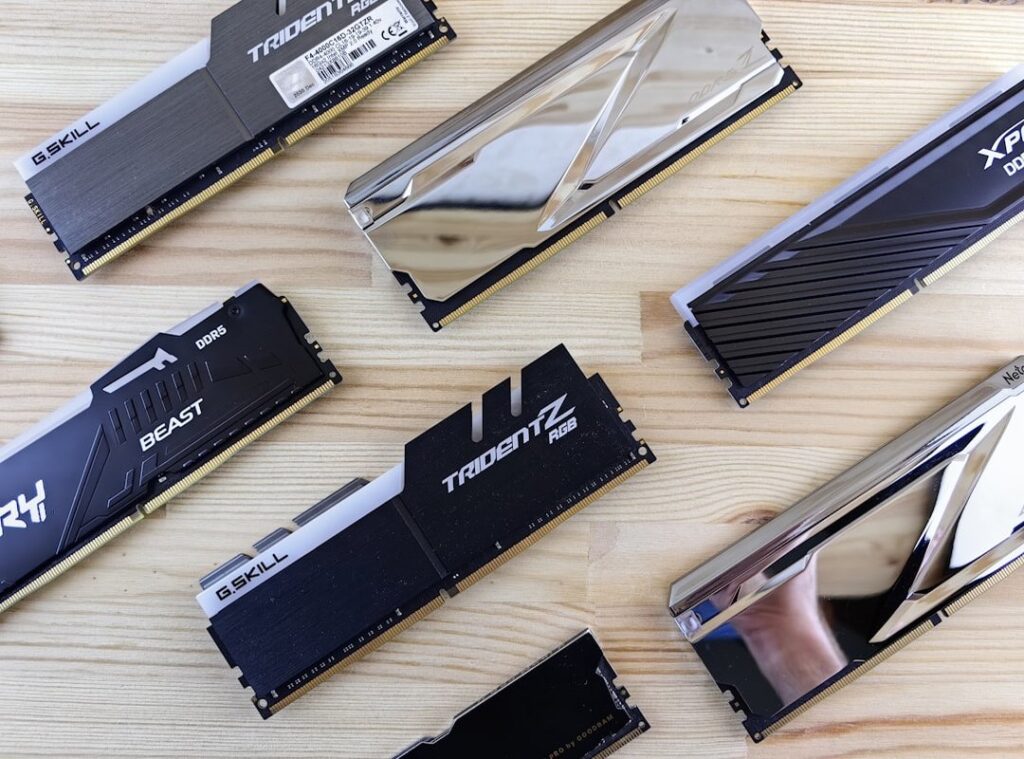
Next up, RAM. This is your computer’s short-term memory. More RAM means you can juggle more apps at once.
Need to run memory-intensive applications without your system grinding to a halt? Double your RAM. It’s simple and makes multitasking smoother.
Now, for the tech-savvy: upgrading your CPU or GPU. These are more complex but worth it for gaming or video editing. They’re not for everyone, but if you know your way around a motherboard, the performance boost is significant.
Just be prepared for a bit more effort.
Pro tip: weigh the cost against the improvements you’ll see. An SSD offers the best bang for your buck in everyday performance. Other upgrades can be pricey, so choose wisely based on your needs.
Ready to give your PC a new lease on life?
Speed Up Your PC Now
You know the culprit. A slow computer is a nightmare. But you don’t have to live with it.
Armed with your newfound skills in diagnosing bottlenecks and applying smart fixes, you’re set to tackle any slowdown. This isn’t just about speed. It’s about reclaiming your time and sanity.
Why waste hours waiting for a lagging machine when you can improve it yourself? PC speed optimization is within your grasp.
Don’t let lag win. Open your Task Manager now. Identify the issues and start your journey toward a faster, more responsive PC.
Your productivity awaits.
 Ask Rosemary Smitheosan how they got into ai tools and machine learning trends and you'll probably get a longer answer than you expected. The short version: Rosemary started doing it, got genuinely hooked, and at some point realized they had accumulated enough hard-won knowledge that it would be a waste not to share it. So they started writing.
What makes Rosemary worth reading is that they skips the obvious stuff. Nobody needs another surface-level take on AI Tools and Machine Learning Trends, Core Tech Concepts and Innovations, Device Optimization Hacks. What readers actually want is the nuance — the part that only becomes clear after you've made a few mistakes and figured out why. That's the territory Rosemary operates in. The writing is direct, occasionally blunt, and always built around what's actually true rather than what sounds good in an article. They has little patience for filler, which means they's pieces tend to be denser with real information than the average post on the same subject.
Rosemary doesn't write to impress anyone. They writes because they has things to say that they genuinely thinks people should hear. That motivation — basic as it sounds — produces something noticeably different from content written for clicks or word count. Readers pick up on it. The comments on Rosemary's work tend to reflect that.
Ask Rosemary Smitheosan how they got into ai tools and machine learning trends and you'll probably get a longer answer than you expected. The short version: Rosemary started doing it, got genuinely hooked, and at some point realized they had accumulated enough hard-won knowledge that it would be a waste not to share it. So they started writing.
What makes Rosemary worth reading is that they skips the obvious stuff. Nobody needs another surface-level take on AI Tools and Machine Learning Trends, Core Tech Concepts and Innovations, Device Optimization Hacks. What readers actually want is the nuance — the part that only becomes clear after you've made a few mistakes and figured out why. That's the territory Rosemary operates in. The writing is direct, occasionally blunt, and always built around what's actually true rather than what sounds good in an article. They has little patience for filler, which means they's pieces tend to be denser with real information than the average post on the same subject.
Rosemary doesn't write to impress anyone. They writes because they has things to say that they genuinely thinks people should hear. That motivation — basic as it sounds — produces something noticeably different from content written for clicks or word count. Readers pick up on it. The comments on Rosemary's work tend to reflect that.